Mount Setup Guide
Follow these simple steps to attach your PutterVR mount and start practicing in minutes.
Replace Battery Cover
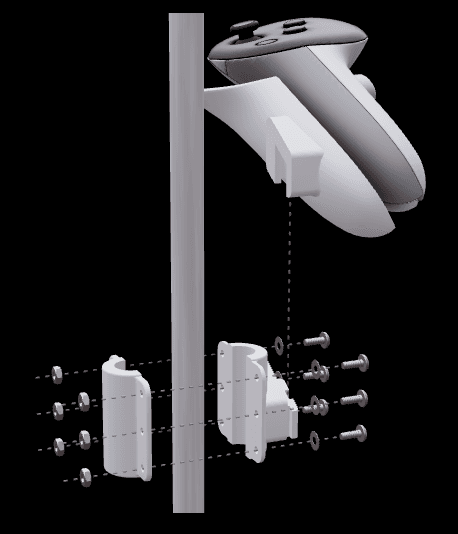
Take the custom battery cover from your package and replace the standard cover on your LEFT Quest controller. Simply press down on the original cover and slide it off, then snap the custom mount-ready cover into place. No tools required.
Attach Shaft Clamp
Take the two clamp halves and place them on opposite sides of your putter shaft, near the bottom where it fits comfortably. Line up the 4 corner holes and insert the provided screws. Hand-tighten the nuts until secure. The mount will be loose on the shaft at this stage - that's normal.
Orient the Mount
Slide your Quest controller onto the mount. Now rotate the whole assembly so the mount faces the same direction as your putter face. When looking down at your putter ready to putt, the mount should be on the same side as the face. See the diagram below for reference.
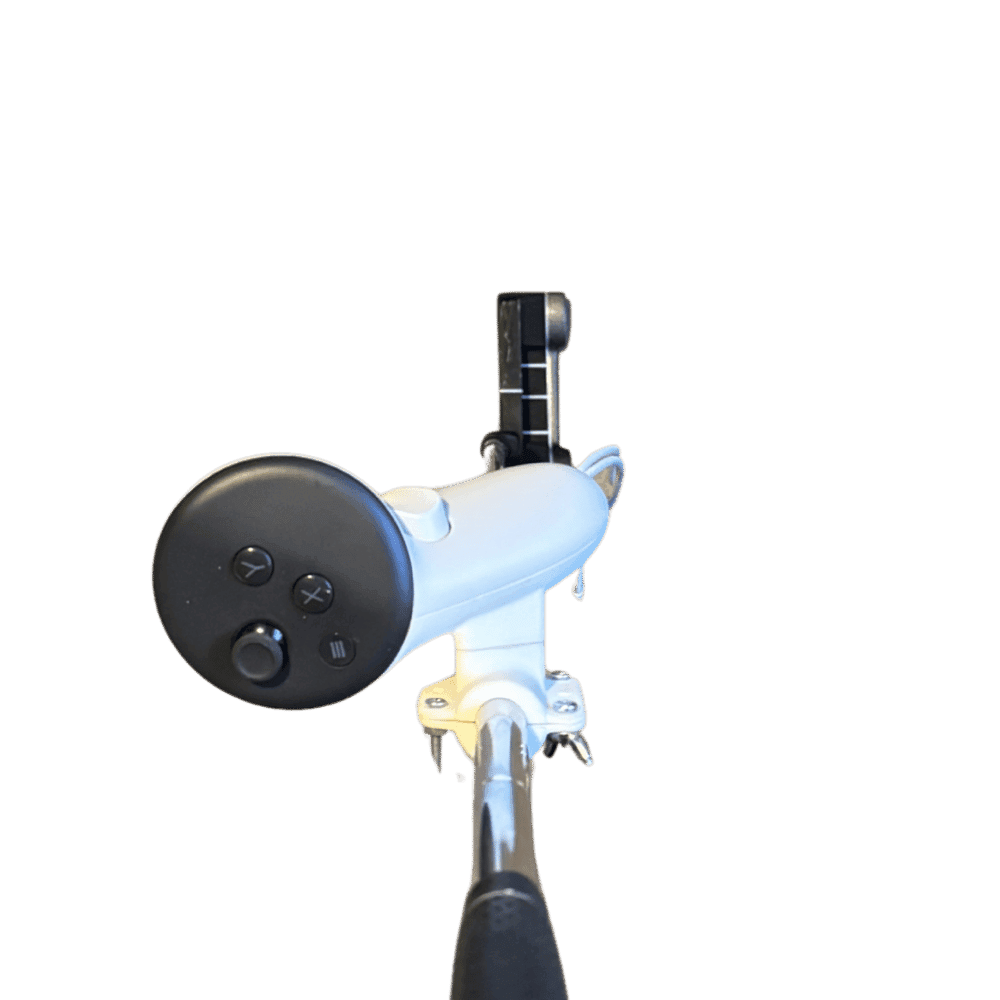
Mount should face the same direction as your putter face
Slide Mount Into Place
Slide the mount upward on the shaft with firm pressure. The tapered shape of the putter shaft creates a friction lock. Keep pushing until it no longer moves or rotates. You're ready to play!
Need Help?
If you have any questions about setting up your mount, contact us at hello@puttervr.com